











93%
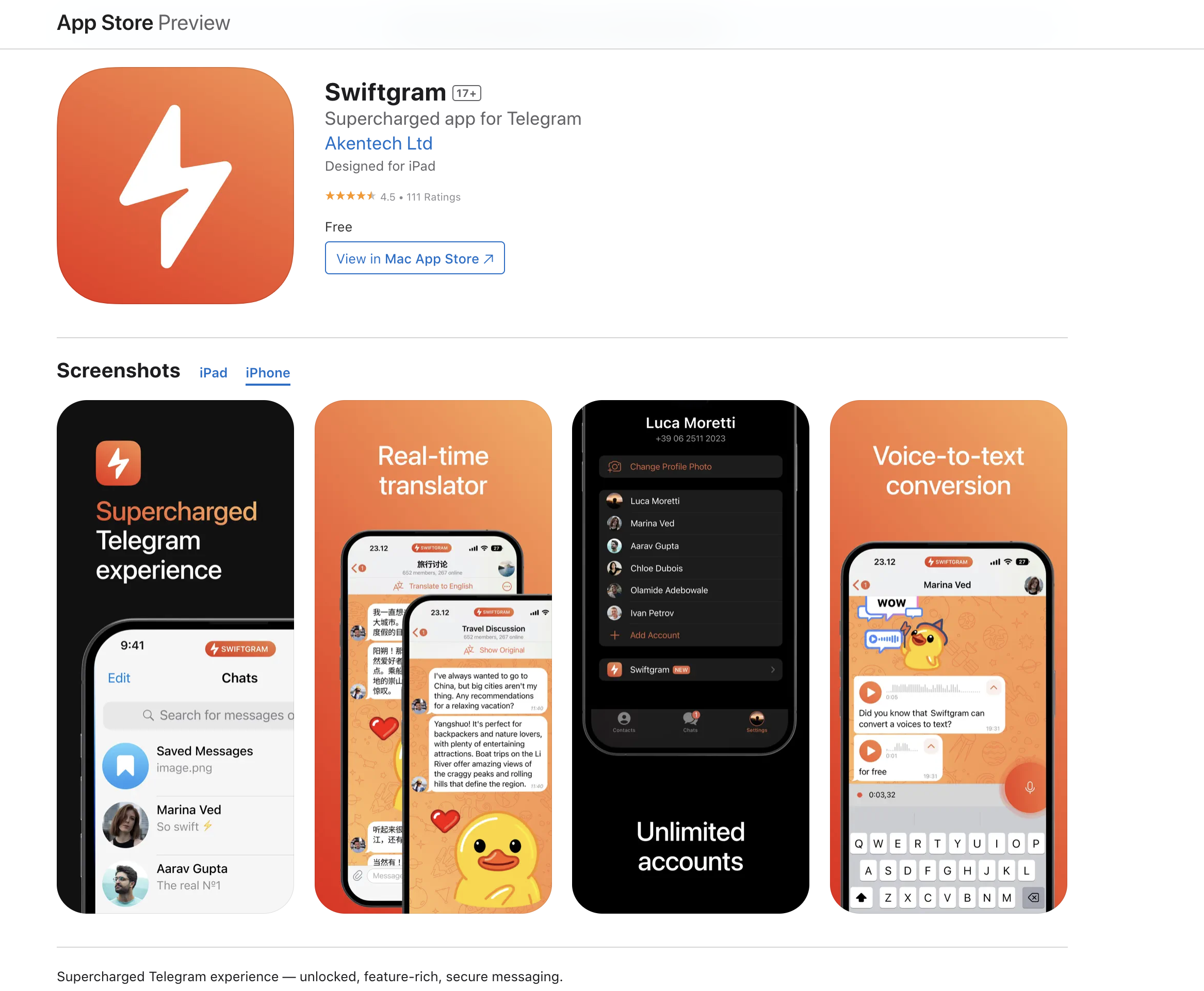
Step 1: Download Swiftgram app from AppStore . AppStore Link : apps.apple.com/app/apple-store/id6471879502?pt=126511626&ct=gh&mt=8
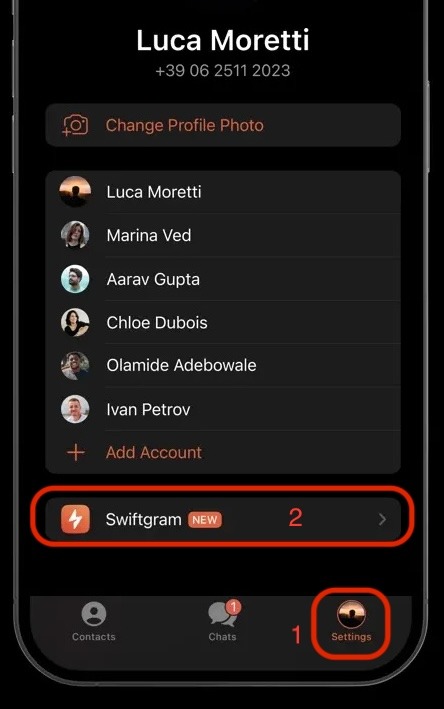
Step 2: After downloading go to settings and click Swiftgram.
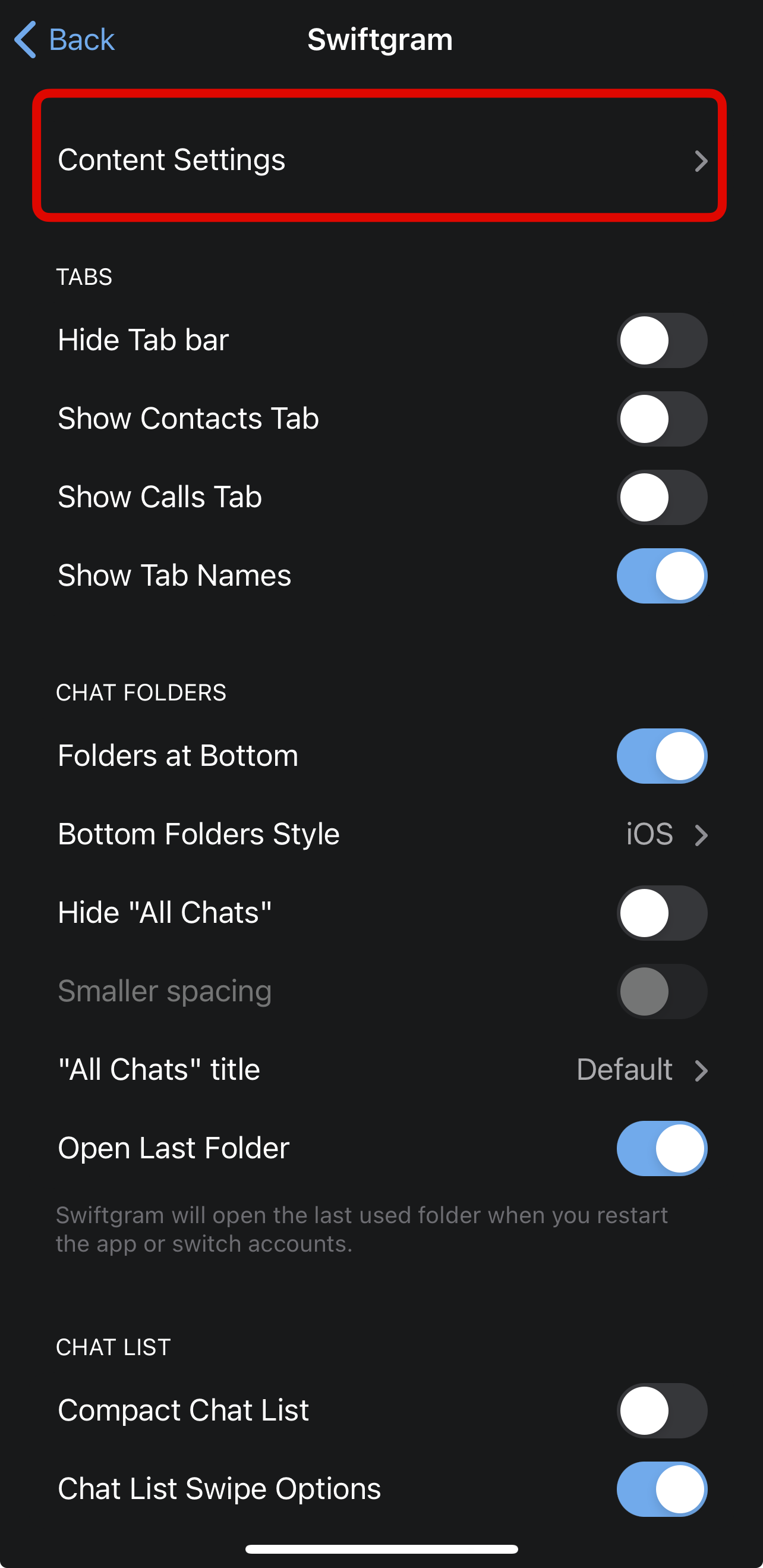
Step 3: Click Content Settings >
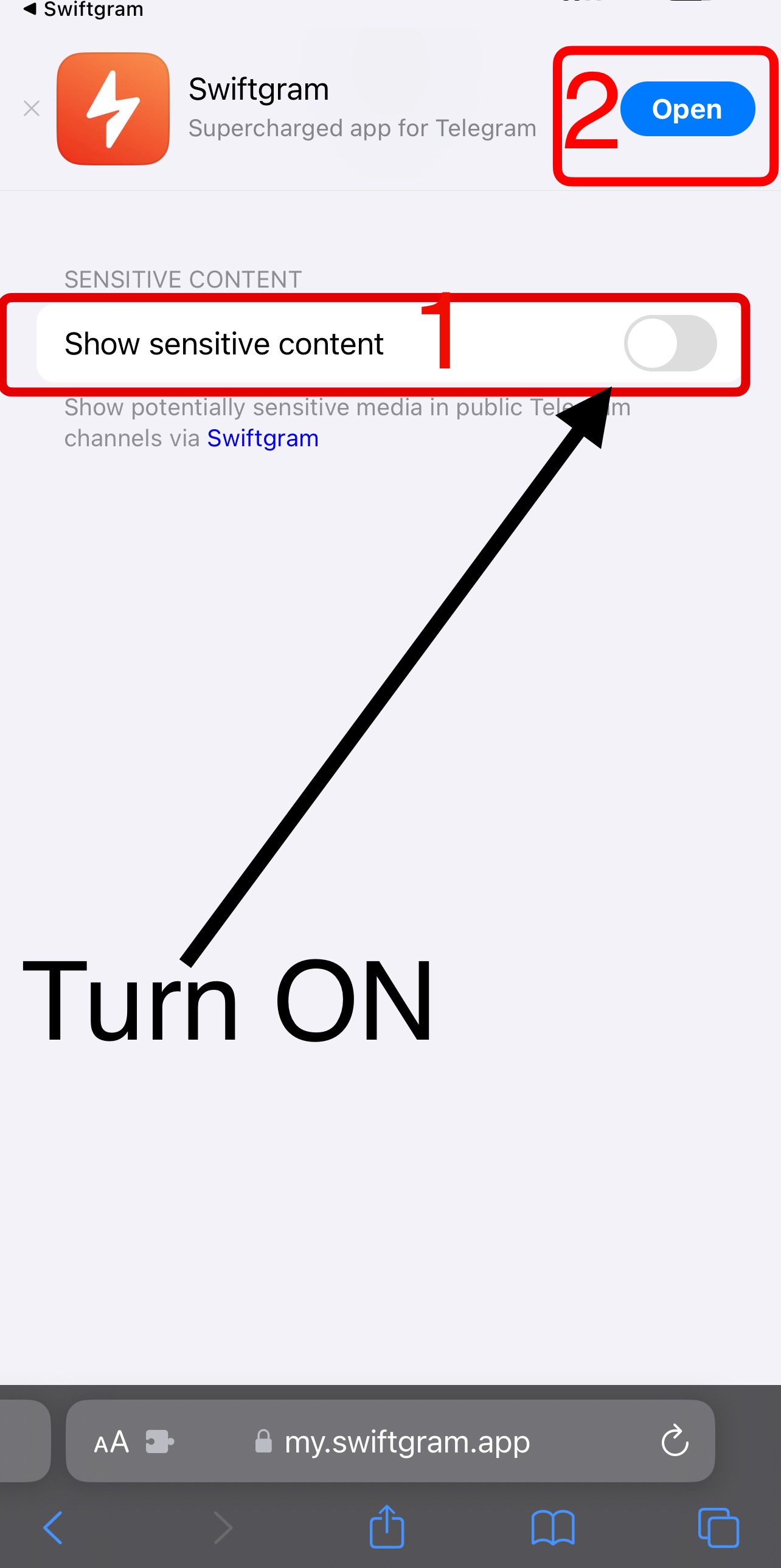
Step 4: Turn On show sensitive content and open app.
Step 5 : Enjoy
In case it didn't work you can repeat step 4 and try turn off and turn on again and open app or restart app.
Need Any help you can comment here:

Step 2: After downloading go to settings and click Swiftgram.
Step 3: Click Content Settings >
Step 4: Turn On show sensitive content and open app.
Step 5 : Enjoy
In case it didn't work you can repeat step 4 and try turn off and turn on again and open app or restart app.
Need Any help you can comment here: